


01
Cash & tills
Track cash collected by branch, till, cashier or shift.
BankMate gives businesses a clear mobile view of cash, card payments, transfers, bank drops, bank accounts and cashbook records so you can see what’s pending, what’s confirmed and what needs review.
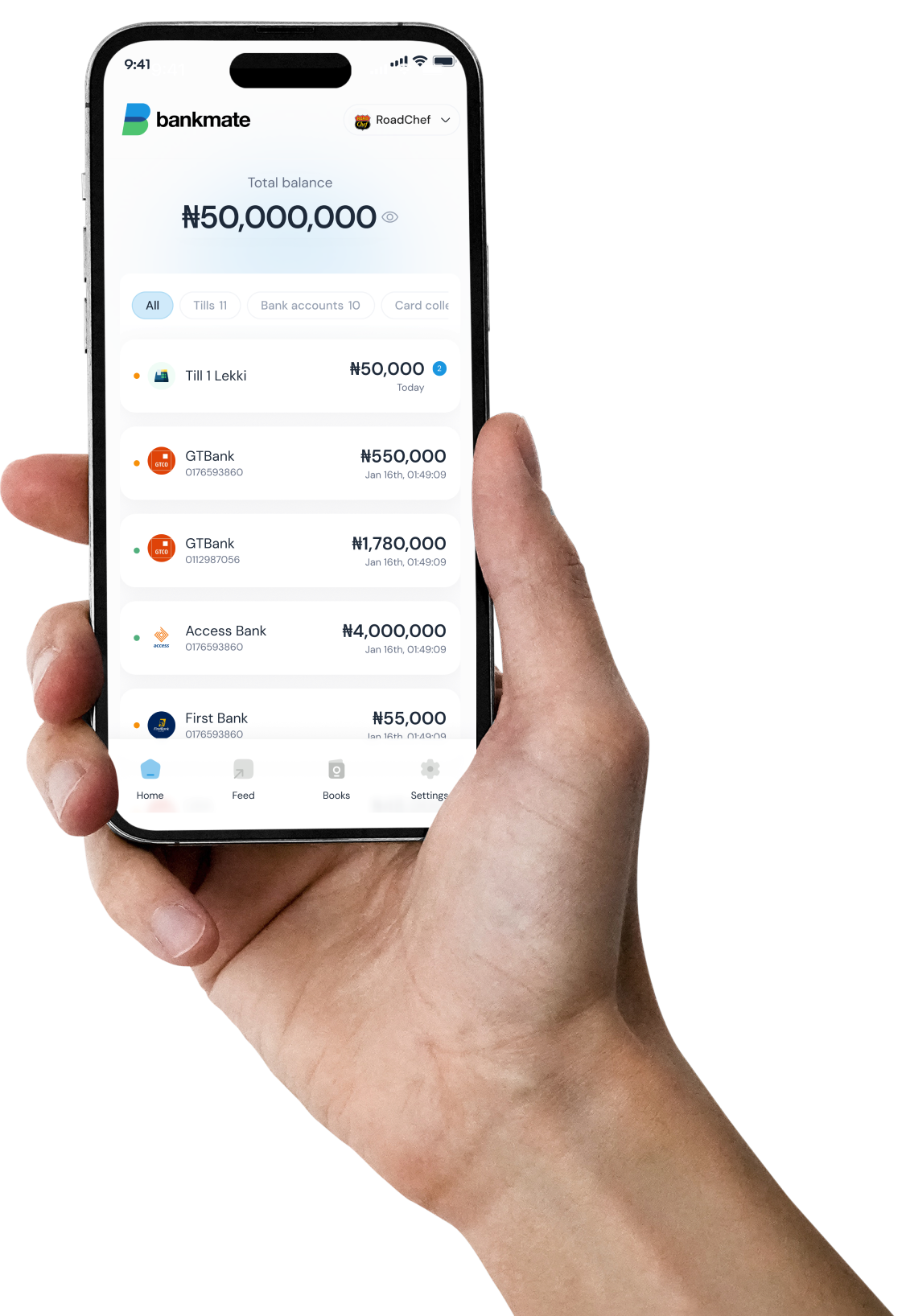
Cash is counted before it reaches the bank. Card payments succeed before settlement lands. Transfers arrive with unclear narration. Bank drops are logged before confirmation. BankMate helps your team see the state of money without chasing screenshots, statements and spreadsheets.
01
Track cash collected by branch, till, cashier or shift.
02
See card collections that are still pending, delayed or confirmed.
03
Log deposits and follow them until they appear in the bank.
04
Turn unclear money into a task that can be matched, handled or allocated.
BankMate starts with visibility, then helps teams reconcile, handle and optionally organize transactions into cleaner business records.
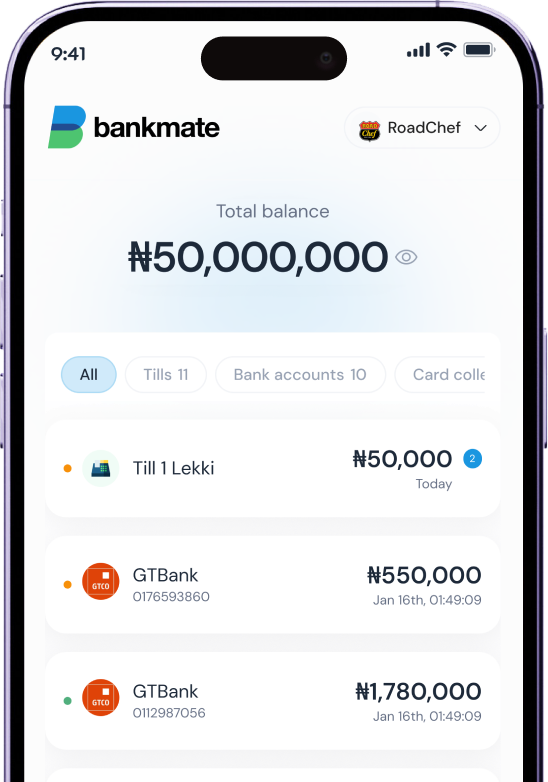
Balances, latest activity and subtle attention indicators keep the home screen clean while still showing what matters across cash, cards, banks and collections.
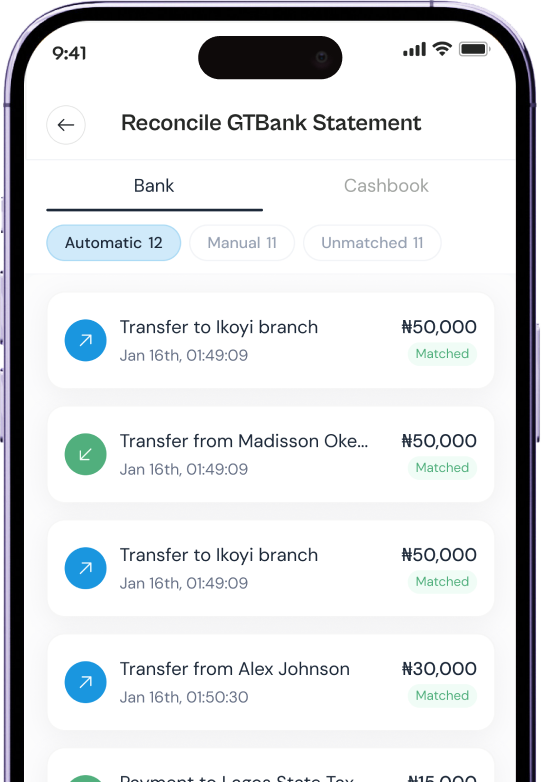
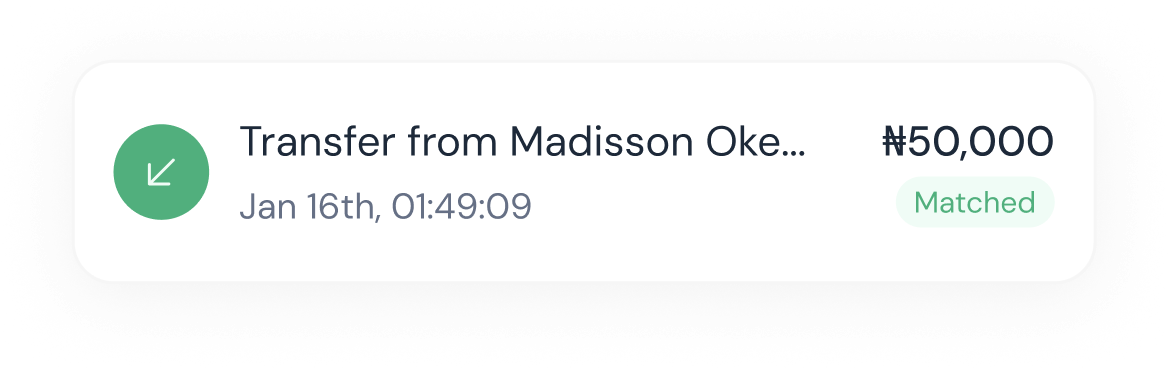
BankMate separates auto-matched items from manual review so teams do not have to scan every transaction line by line.
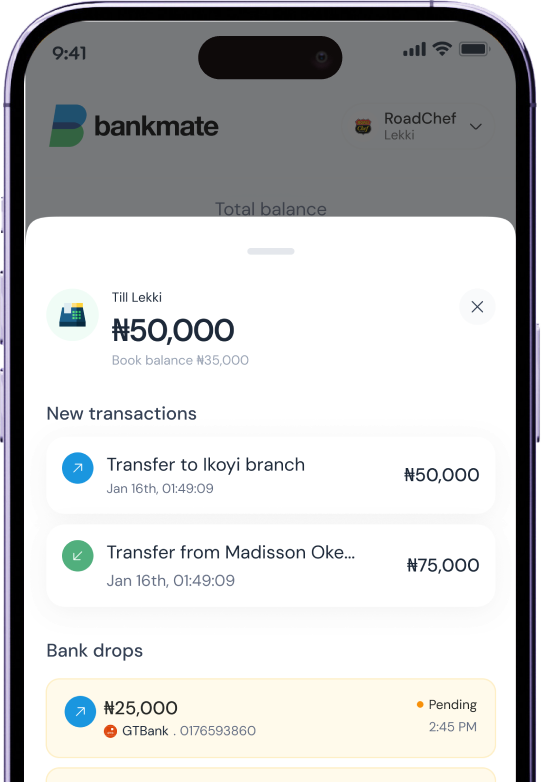
Handling is an inbox for money that needs a decision: who is connected to it, what it represents and what should happen next.
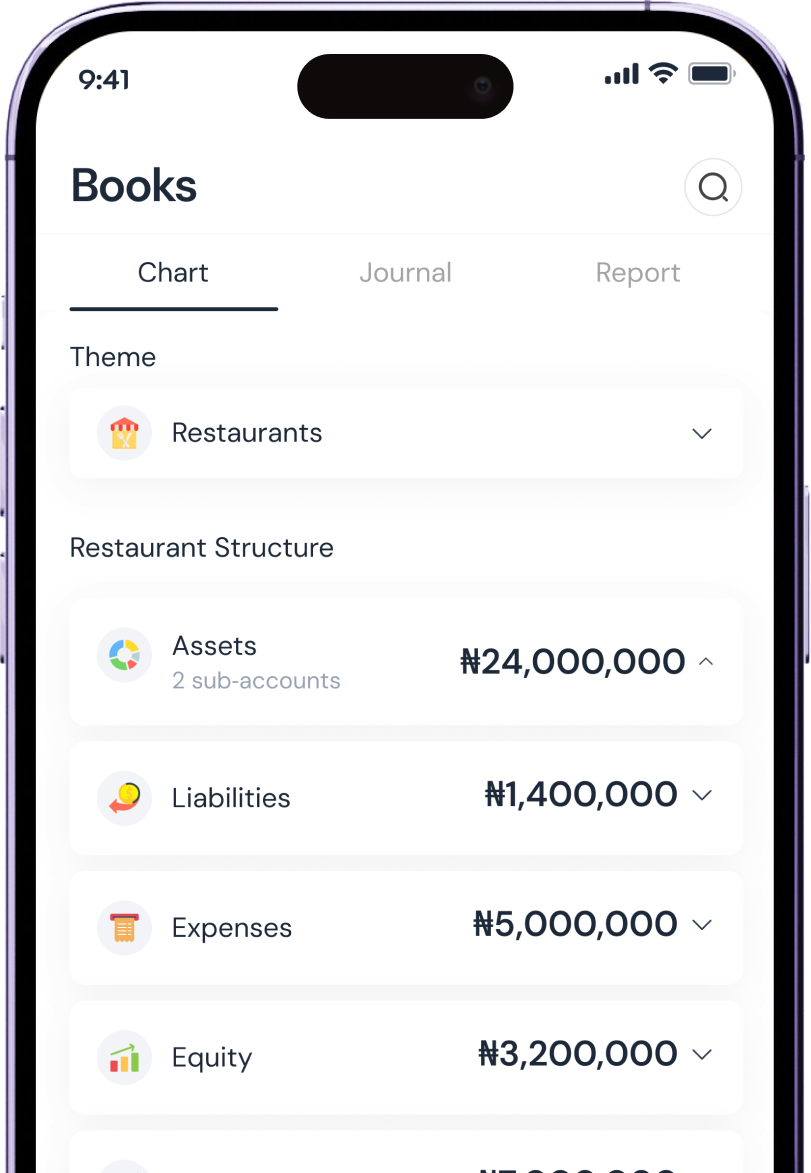
BankMate can hold lightweight business accounts and manual ledgers when a business wants to organize transactions inside Qbicles. It can also sit alongside a preferred external accounting system.
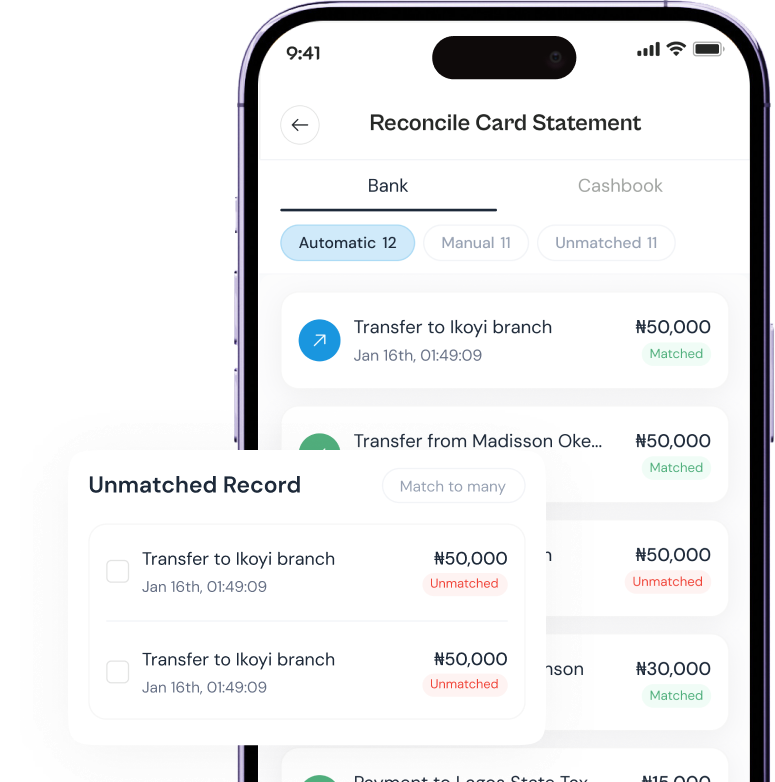
Compare bank statements with your cashbook, card settlements, bank drops, Trader activity, POS records, invoices and manual entries. Auto-match the obvious items. Review the exceptions.
Auto-matched
High-confidence matches are resolved quietly.
Resolved manually
Team members can explain unclear items without using spreadsheets.
Needs review
Exceptions become visible tasks, not hidden anxiety.
For unclear money, BankMate helps answer the simple questions that matter: who is it for, what does it mean and what needs to happen next?
Customer, student, meter number, branch, till, staff, supplier, driver or account.
Sale, fee, deposit, settlement, invoice, bill, tax, fuel, transfer or voucher.
Confirm deposit, update account, mark invoice paid, generate token, allocate, hold or review.
BankMate can receive useful records from Qbicles Retail POS, Trader, Stocknerd and manual entries. Businesses can organize records inside BankMate when helpful, or keep using a preferred accounting system outside Qbicles.
Qbicles Retail POS
Sales, tills, shifts, cashbook records and branch collections
Trader
Purchases, invoices, supplier payments and approvals
BankMate
Money view, statements, reconciliation, allocations and optional ledgers
Preferred accounting
Use BankMate records, external accounting, or both depending on setup
BankMate includes a lightweight chart of accounts and manual ledgers so businesses can allocate transactions and keep cleaner internal records. It stays optional: the main product remains money visibility, reconciliation and clarity.
Business accounts
Allocate money into simple accounts such as sales, rent, fuel, salaries, taxes and transfers.
Manual ledgers
Keep additional records for flows that do not come directly from POS, Trader or bank statements.
Trader posting
Trader can update BankMate records where configured, while still supporting external accounting workflows.
Accounting friendly
Businesses that already use another accounting system can keep it as their formal reporting destination.
BankMate does not wait for perfect bank feeds. It works with cashbook entries, imported statements, settlement reports, manual ledgers and available connected records. As patterns become clear, it can suggest matches, actions and allocations.
01
Log cash drops, bills, bank deposits and expected collections.
02
Bring in bank statements, settlement reports and cashbook records.
03
Review suggested matches between statements and business records.
04
Allocate transactions to accounts or export to another accounting system.
Use cases

Tills, cash drops, card settlements, transfers and bank balances.

Branch cash, terminal settlements, supplier payments and delivery proceeds.

Cash, POS, transfer collections, pump attendants, shifts and bank deposits.

School fees, student accounts, receipts and manual bank transfers.

High-volume retail collections, cashbook checks and branch reconciliation.
Association dues, permits, invoices, receipts and settlement records.
BankMate is live and rolling out gradually through Qbicles ecosystem users and selected collection-heavy businesses. Tell us how your business collects money and we’ll review the best activation path.